MTITS MC Server Setup Guide
📦 Prerequisites
1. Download PollyMC Launcher:
2. Install Java Runtime Environment 21.0.6:
Visit Adoptium.net and download the JRE for your OS.
🎮 How to Connect
If you already have a paid Minecraft version, simply connect to "mc.mtits.me" instead.
-
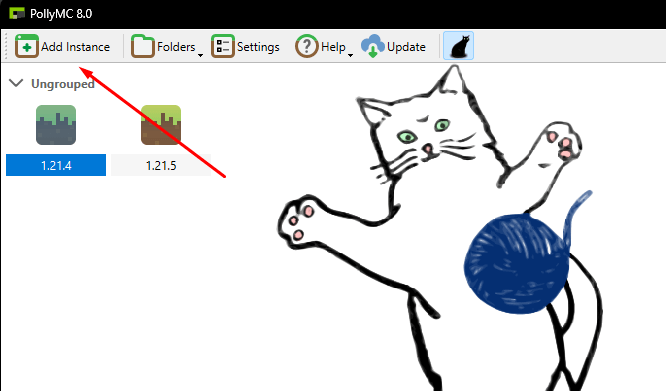
Click on Add Instance.
-
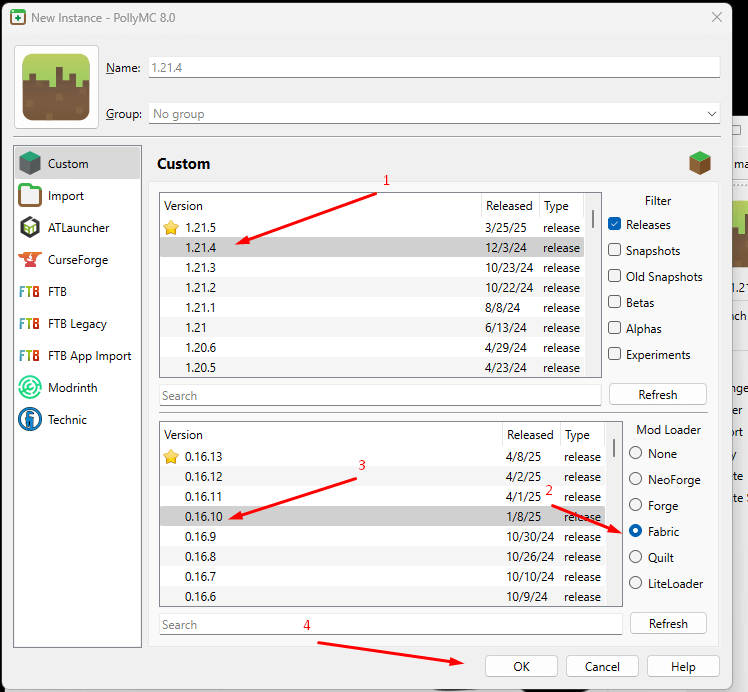
In the new window, select:
Version: 1.21.4
Mod Loader: Fabric
Loader Version: 0.16.10
Then press OK.
-
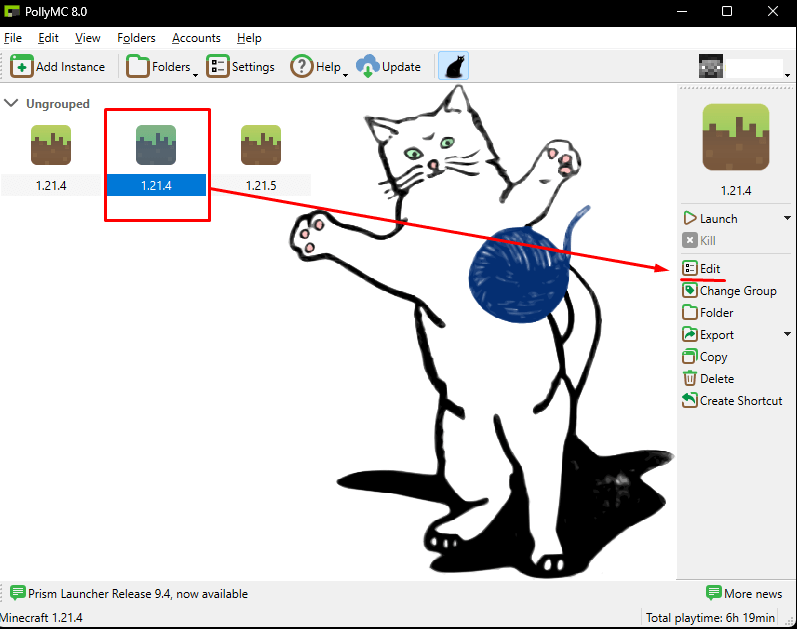
Highlight the 1.21.4 instance, then click Edit.
-
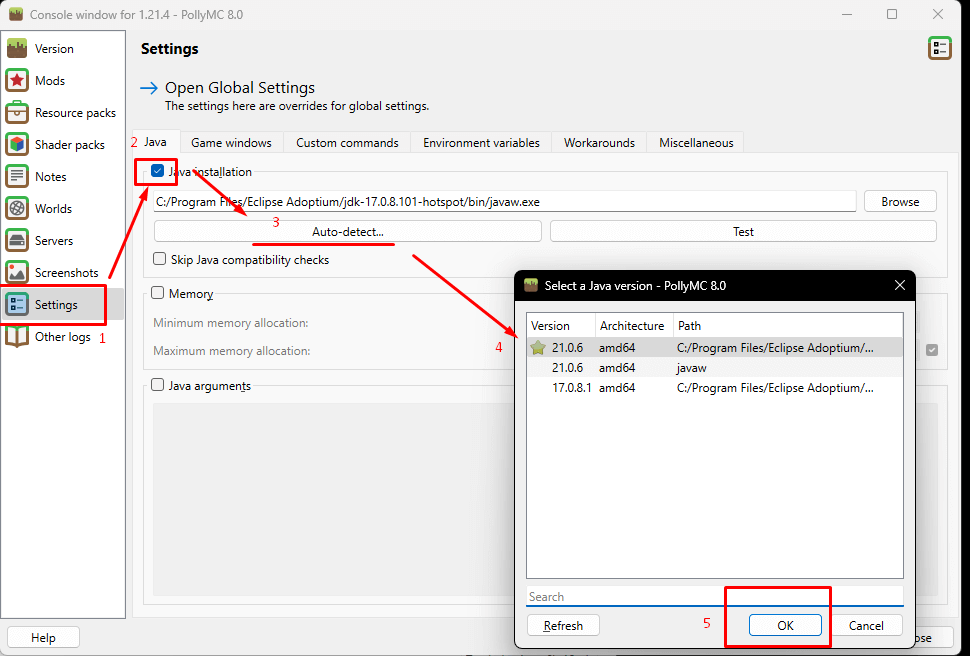
Go to Settings, tick Java Installation, click Auto Detect, then select Java 21.0.6 (usually marked with a star), and press OK.
-
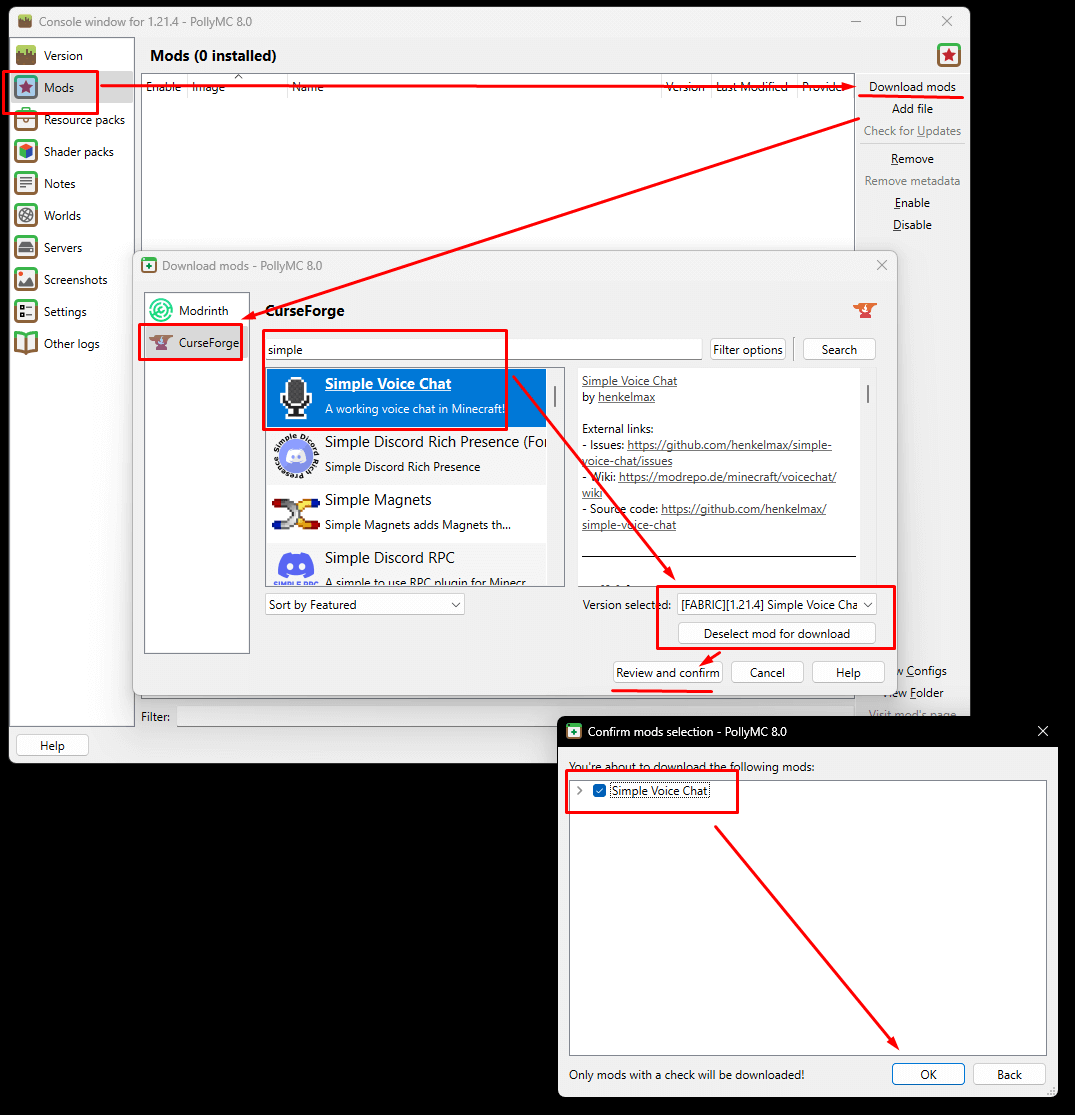
Click on Mods → Download Mods → Select CurseForge → Search "simple" → Find Simple Voice Chat
Select the version compatible with 1.21.4 → Confirm & Press OK.
-
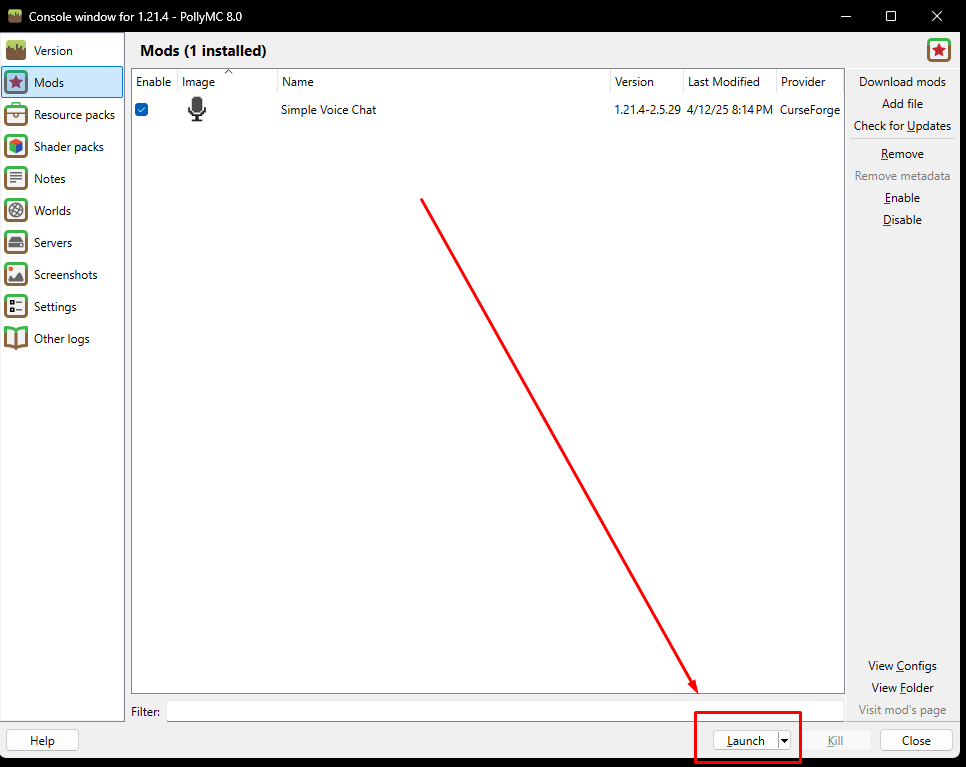
Click LAUNCH in the lower-right corner of the window.
-
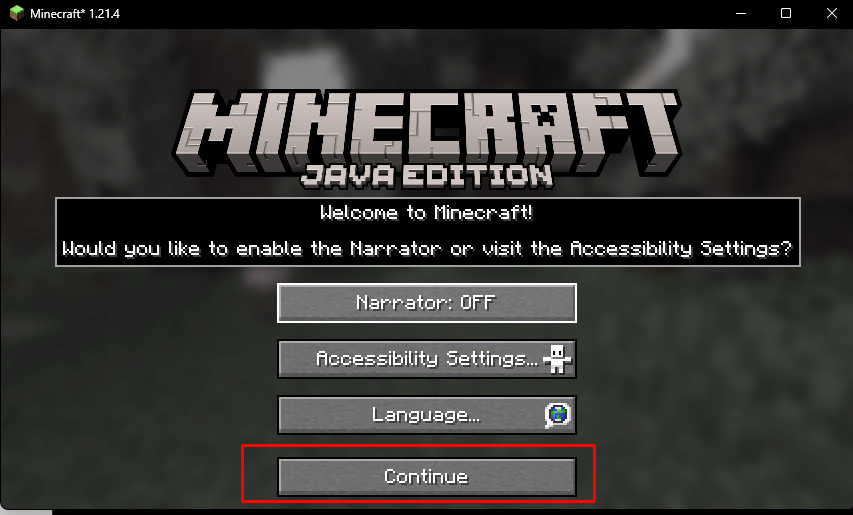
Wait for resources to download. Once done, click Continue and make sure Narrator is OFF.
-
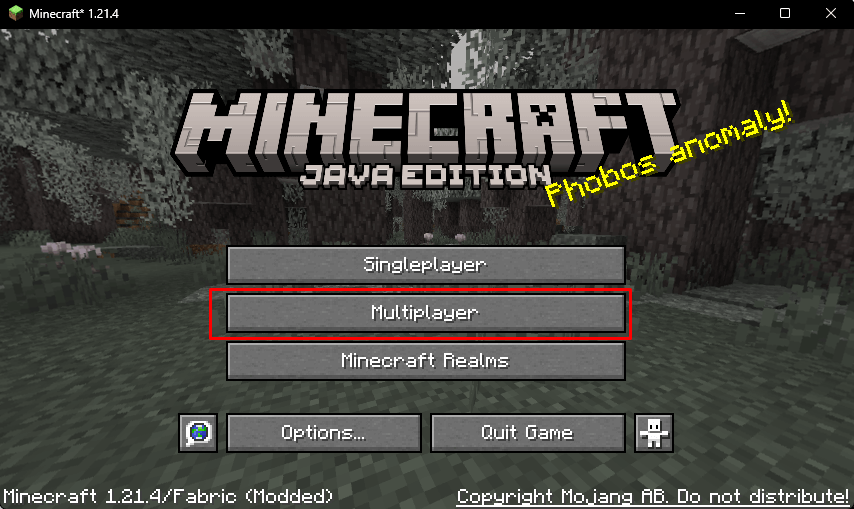
Click on Multiplayer.
-
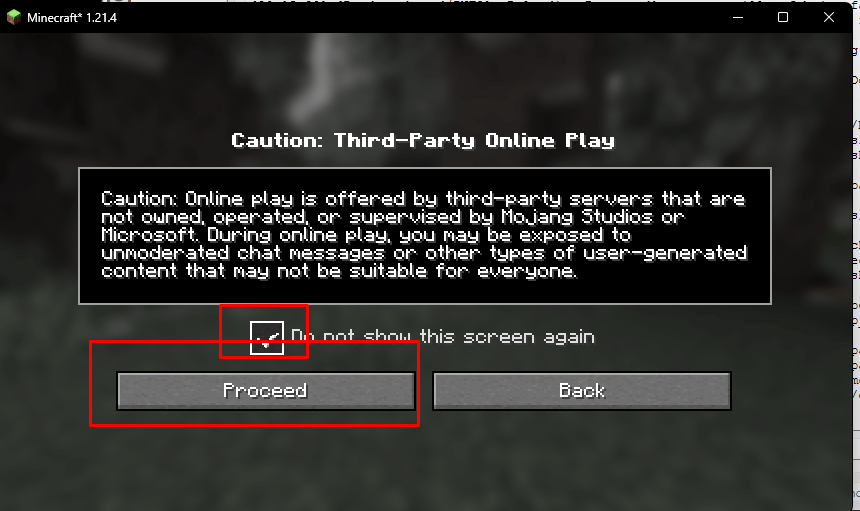
Tick Do not show this screen again then click Proceed.
-
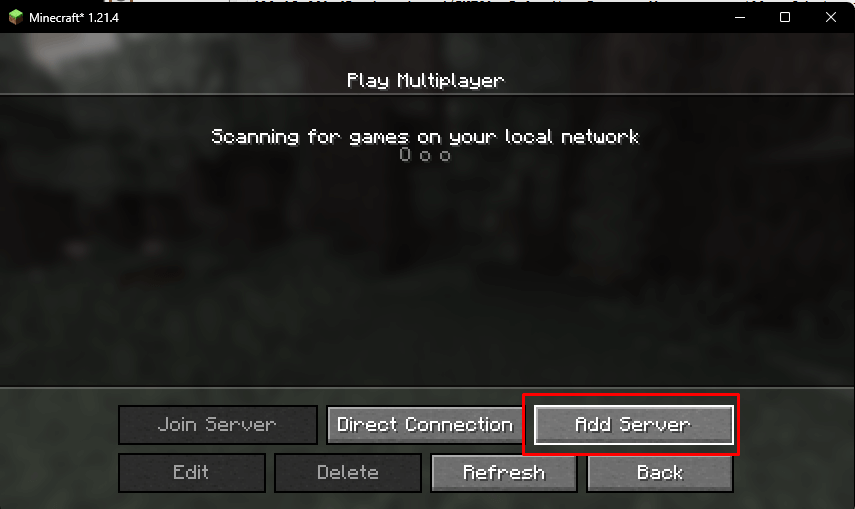
Click Add Server.
-
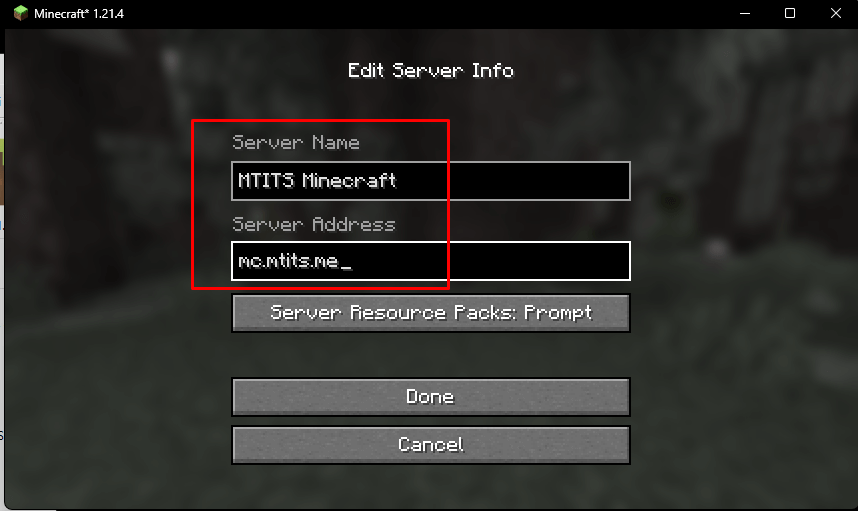
Name your server however you like, but make sure the Server Address is
mc.mtits.me.
-
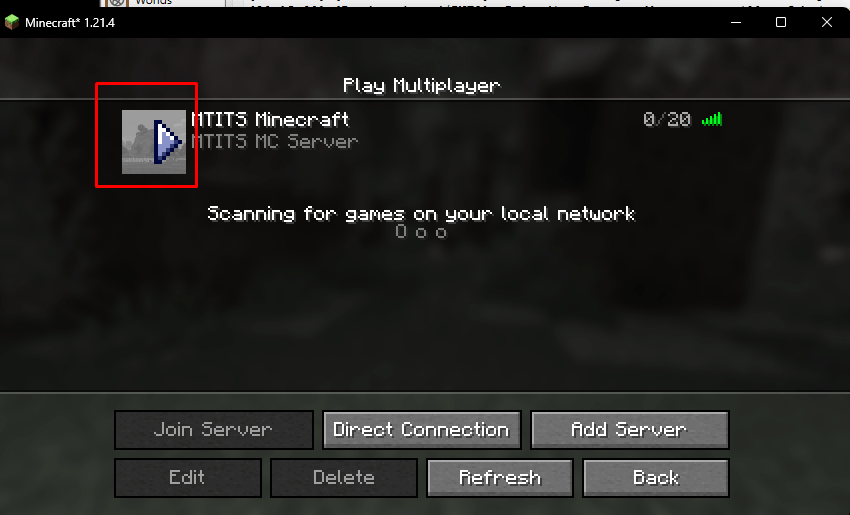
Highlight the server, then click the ▶️ Play icon.
-
You're in! Enjoy the game 🎉
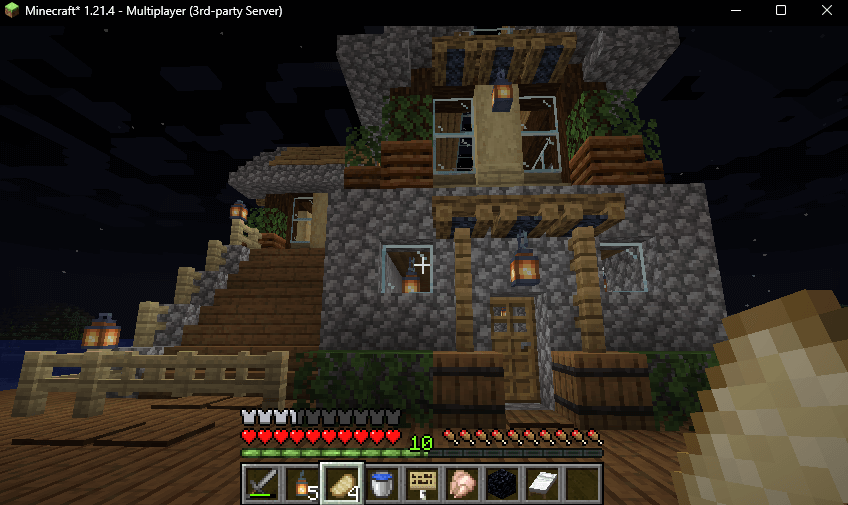
✅ That's it! Enjoy playing with voice chat enabled!